Delivery across Guliston
From natureto your table
Order fruit, vegetables and MEVASTAN Fresh products at today’s prices — delivered to your door.
- Prices updated every day
- Pay for the actual weight
- Today or tomorrow, when it suits you


The app is coming soon to Google Play and the App Store.
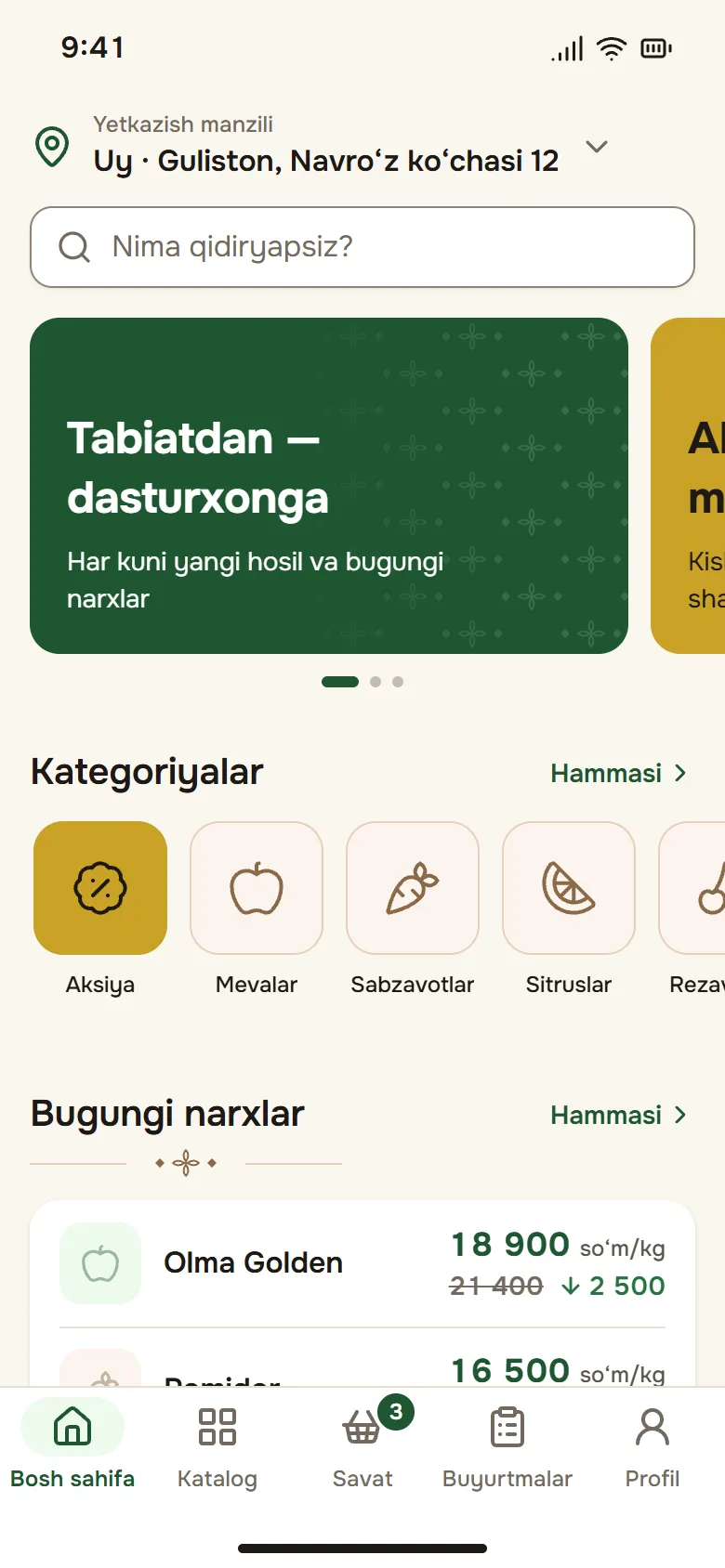
- Fruit
- Vegetables
- Citrus
- Berries
- Greens
- Dried fruit
- Nuts
- Melons
- MEVASTAN Fresh
- Jams
- Compotes
- Tomato products
4 steps
An order in a few taps
See the product, check today’s price, add it to the cart, set the address — no instructions needed.
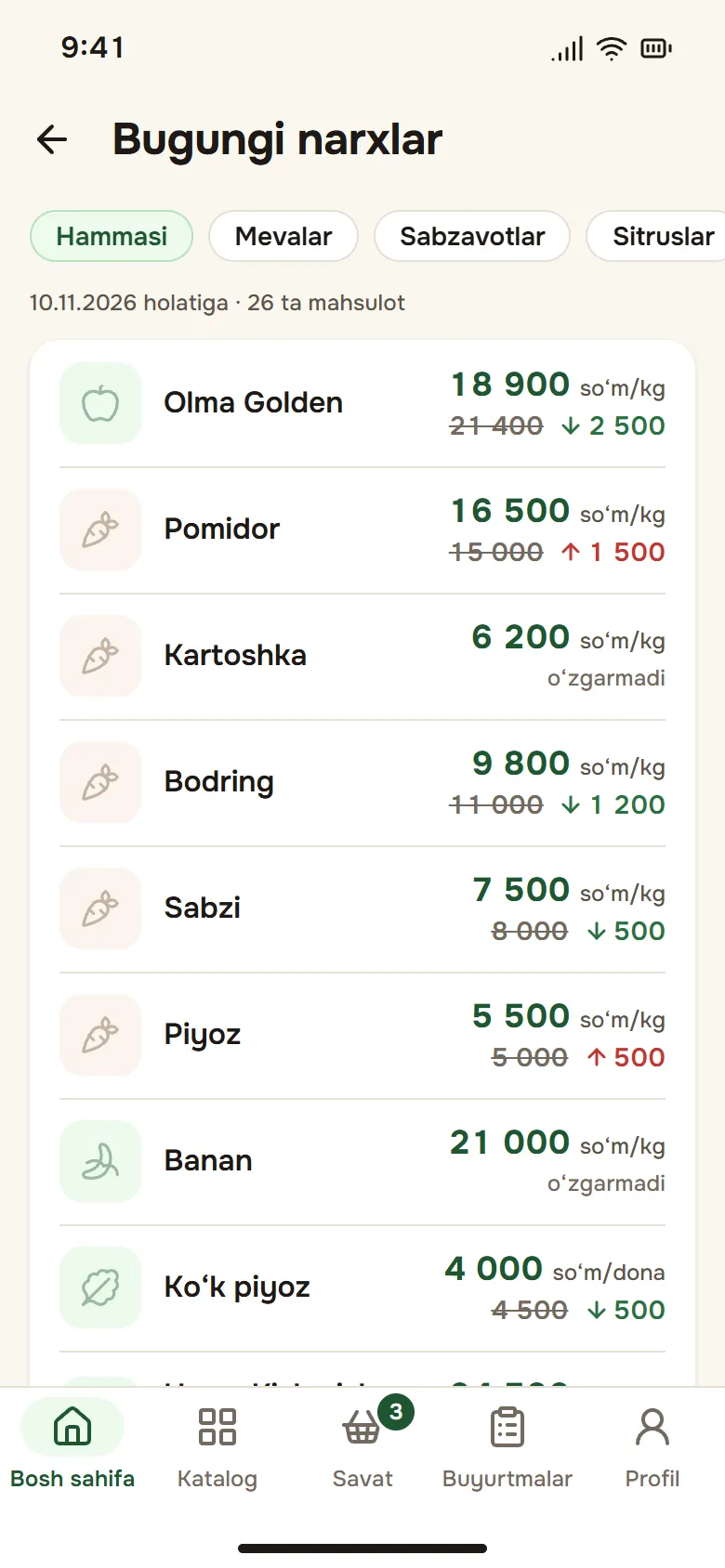
Check today’s prices
Prices are updated every day. When a price differs from yesterday, the old one is struck through and the change is shown with an arrow.
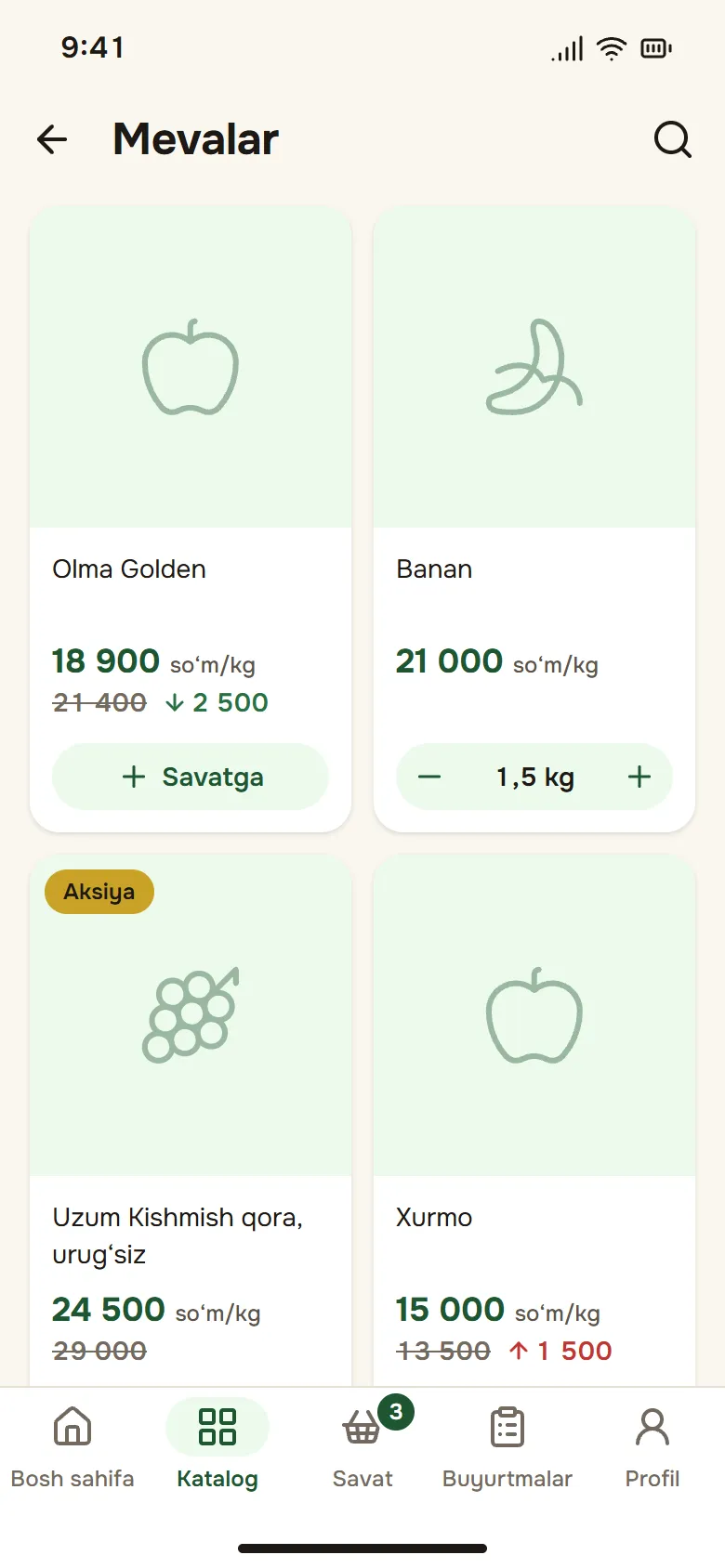
Add to cart
By the kilogram, piece or pack — choose the quantity with [−] and [+]. Sold-out products are marked as such.
Pick the address and time
“As soon as possible” or a convenient slot today or tomorrow. Or collect the order from our store yourself.
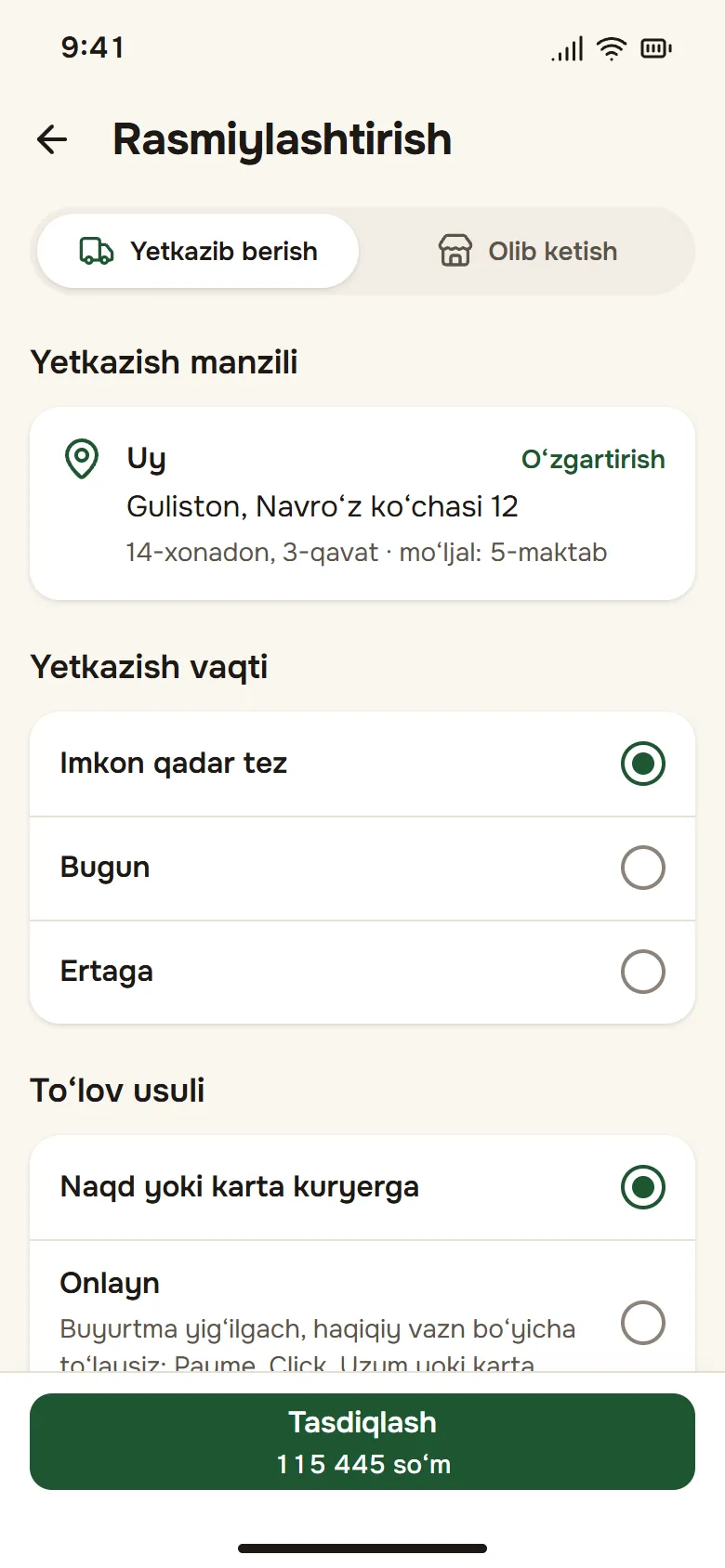
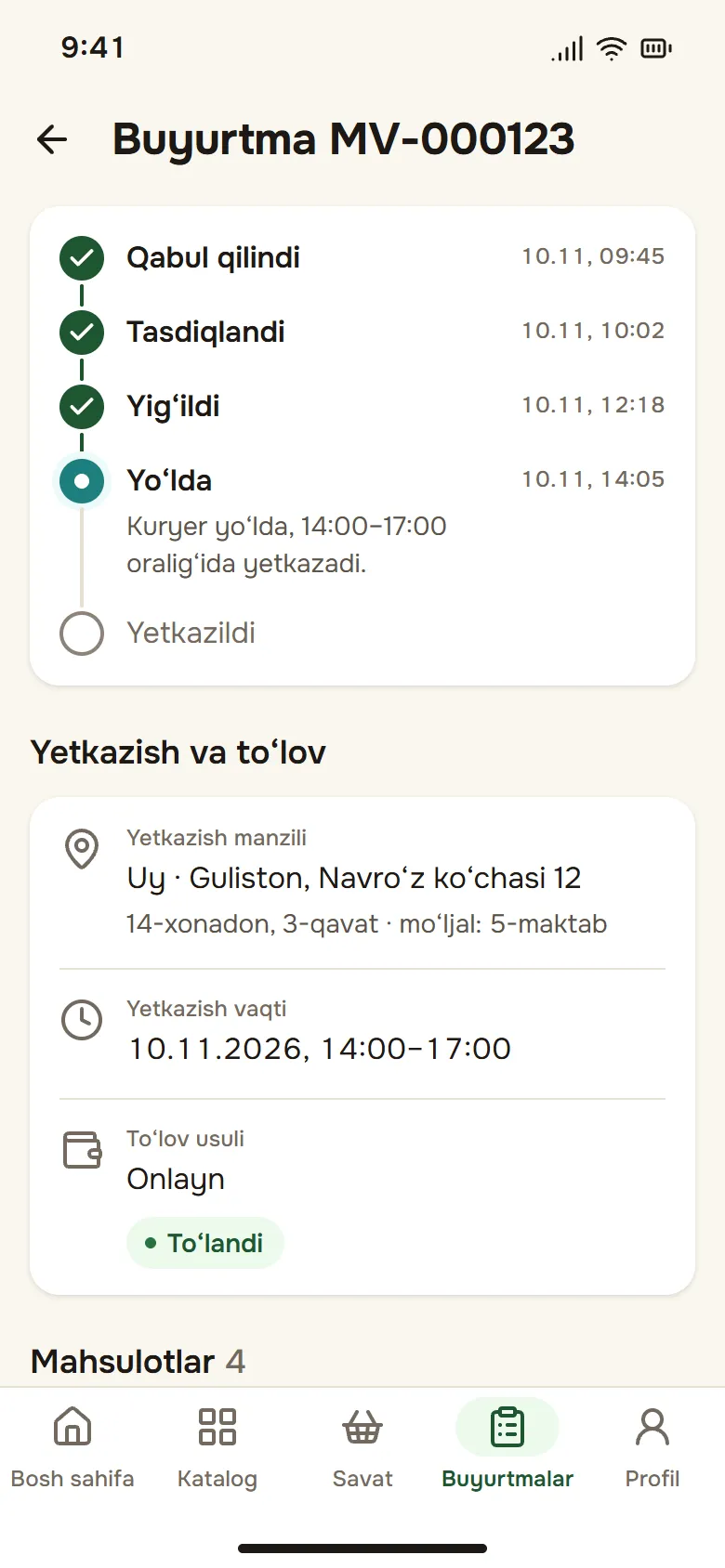
Follow the status
You get a notification when the order is confirmed, packed, out for delivery and delivered.
Fair pricing
You pay for what the scale shows
Fresh produce never weighs exactly what was ordered. Our warehouse weighs every item and enters the actual weight, and the final total is based on it. That is why online payment is requested after the order is packed.
Pay the way you like
Online on the Multicard payment page — the app never asks for card details. Or cash or card to the courier.
- Payme
- Click
- Uzum
- Uzcard
- Humo
- Visa
- Mastercard
| Product | Ordered | Actual weight |
|---|---|---|
| Golden apples18,900 so‘m/kg | 2 kg | 2.08 kg |
| Tomatoes16,500 so‘m/kg | 1.50 kg | 1.46 kg |
| Bananas21,000 so‘m/kg | 1 kg | 1.04 kg |
| Final total | 85,242 so‘m | |
Figures are an example.
In the app
Made for everyday shopping
Today’s prices
Every product in one list: today’s price, yesterday’s price and which way it moved.
Known origin
Each product page shows where it comes from and the batch now on sale.
Deals
Products on sale have their own section, with the regular price struck through.
Reorder
Put a previous order back in the cart with one tap — at today’s prices.
Favourites
Save the products you like with a heart and find them fast.
Four languages
Uzbek (current and new Latin alphabet), Russian and English.
B2B For business
For restaurants, cafés and shops
Restaurants, cafés, hotels, canteens and caterers — in the same app, on business terms.
How to join
- In the app, open Profile › “For business”
- Send the company name, tax ID (STIR), phone and address
- Once approved, the business sections open and you get a notification
Business customers have a minimum order amount and per-product minimum quantities.
Business prices
The catalogue shows your B2B price instead of the regular one.
Templates
Save “Monday order” and load it into the cart with one tap every week.
Cash, transfer or on credit
Upload the bank transfer receipt right in the app. Paying on credit is by agreement.
Invoices and reconciliation acts
An invoice (Excel) for every delivered order; your contract and documents in the app.
Account screen
Outstanding debt, due dates and payment history in one place.
Delivery
Across Guliston — when it suits you
Today or tomorrow, in a convenient slot or as soon as possible. Orders above a set amount are delivered free.
Time slots, for example:
- As soon as possible
- 10:00–13:00
- 14:00–17:00
- 18:00–21:00
Pickup
Collect your order from the MEVASTAN store — no delivery fee.
FAQ
Frequently asked questions
Another question? Support centreWhere do you deliver?
Across the city of Guliston for now.
How can I pay?
Cash or card to the courier, or online in the app: Payme, Click, Uzum, Uzcard, Humo, Visa, Mastercard. Online payment is requested once the order is packed and the final total is known.
Why can the final total change?
Fruit and vegetables are sold by weight. The actual weight is entered when the order is packed, the total is recalculated and you get a notification.
How much is delivery?
The delivery fee is shown in the cart. Orders above a set amount are delivered free; pickup from the store has no delivery fee.
Can I cancel an order?
Yes, in the app, while it is “Received”. Once the order is confirmed, contact us to cancel it. Support centre
How do I become a business customer?
In the app, send a request under Profile › “For business”: company name, tax ID, phone and address. Once approved, the business sections open.
How do I delete my account?
In the app: Profile › “Delete account”, confirmed with an SMS code. If you cannot get into the app, write to us. What is deleted and what the law requires us to keep is on a separate page. Delete account
Get the app
All you need to sign up is a phone number and your name — the confirmation code arrives by SMS.
The app is coming soon to Google Play and the App Store.
Android 8 or later · iOS 14 or later